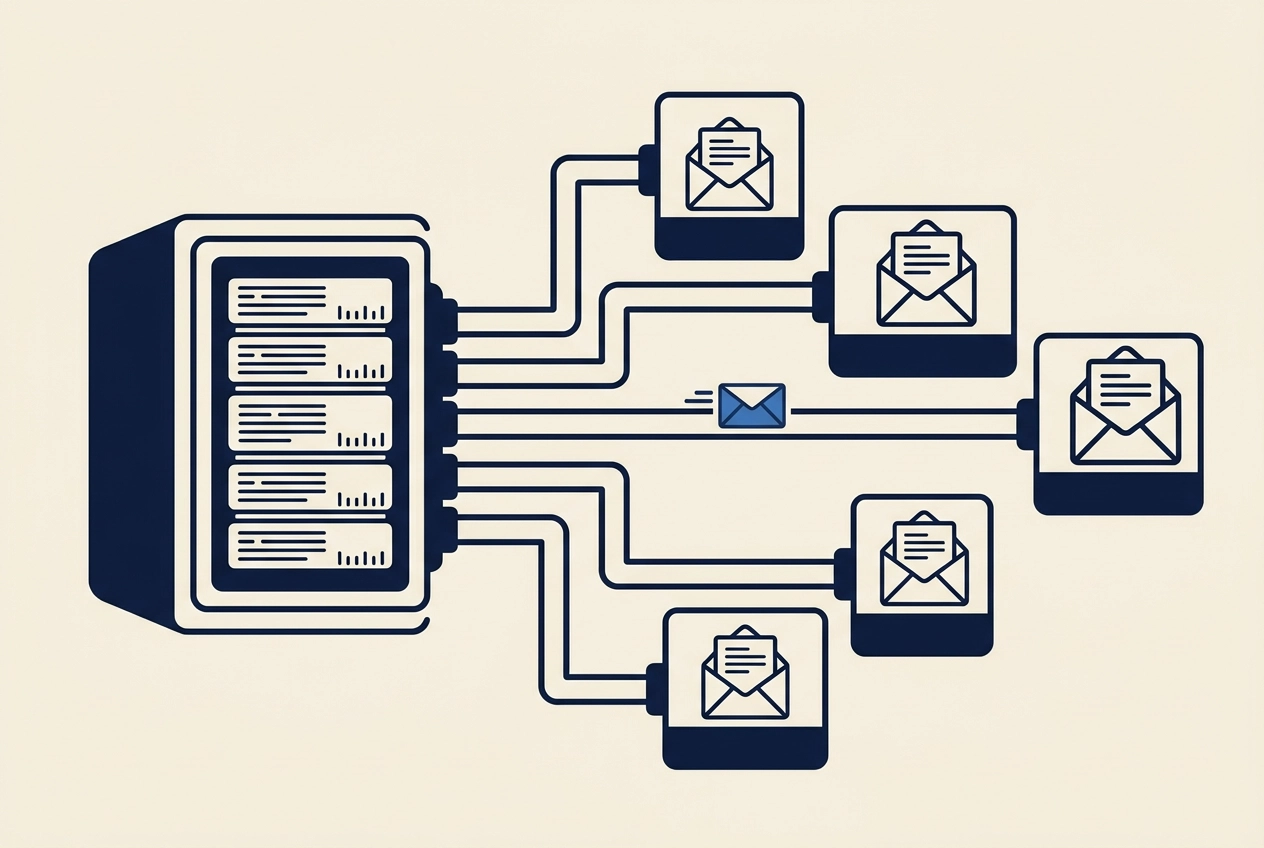
Most cold email marketing agency problems do not start with bad copy. They start with client number ten.
At nine clients, the setup still feels manageable: a shared domain pool, a few warmed inboxes, a spreadsheet of leads. Then client ten arrives, and the ninth client's sending reputation, reply history and opt-out list suddenly share space with someone else's. One complaint, one spam trap, or one client who wants their leads back, and the whole stack is exposed.
This guide treats isolation as the scaling constraint it is. You will learn why outbound breaks at client ten, what per-client isolation actually covers, and how to build the model step by step: separate sending infrastructure, a documented ramp and hard cap per inbox, data boundaries around leads, replies and opt-outs, opt-out handling matched to each client's legal posture, and a written exit agreed before the engagement starts. We will also cover what this looks like before client three, and how Deeplead handles isolation for agencies, including inboxes warmed and monitored by the platform and a maximum of 30 emails per inbox per day. You can see the plan details at deeplead.io/pricing.
Build the model early. A complaint is a terrible deadline.
Why Outbound Breaks at Client Ten (It Is Not the Copy)
Ten clients rarely fail on the offer or the writing. They fail because nine campaigns share one sending domain, one pool of mailboxes and one suppression spreadsheet. Treat that as the reason this model exists, not as a sourced finding: no verified data on shared-sender harm came back in research for this piece.

Retrofitting isolation is harder than building it. Once a domain carries six months of history and a client's leads sit in a shared CRM, separating them means rebuilding sending history and renegotiating data terms mid-engagement, with a client who is already anxious.
A cold email marketing agency that can show its isolation setup on a call answers the question clients ask second, right after price: whose reputation am I borrowing? Key takeaways on protecting your domain cover the sending side.
In our experience, per-client domains, a cap table and a written exit clause can be designed in a day, your mileage will vary. They prevent the conversation that starts with "our domain got flagged and we do not know why."
What Per-Client Isolation Actually Covers
Isolation is five layers, not one, and each has to be designed before it is needed.
Sending infrastructure. Each client sends from domains and mailboxes registered to them. Warm-up history is tied to the domain and mailboxes that earned it. The mechanics of building that history safely are covered in how to warm up inboxes for automated cold email safely.
Volume policy. Every client gets a written ramp schedule and a fixed per-inbox daily cap, held steady even when a campaign performs.
Data boundaries. Lead lists, reply threads, suppression lists and enrichment output stay separate per client, with named internal access rather than access by role alone.
Compliance handling. Every email carries an opt-out, and opt-outs are honored. That decision is documented rather than assumed.
Exit terms. Before the first send, both sides agree who keeps the domains, leads, reply history and warm-up history when the engagement ends.
These layers are interdependent. A per-client domain sitting next to a shared suppression list still leaks information between clients, and a clean exit clause means nothing if the leads cannot be exported. Each step below expands one layer.
Step 1: Give Every Client Its Own Sending Infrastructure
Sending infrastructure is the first layer, and the hardest to retrofit.
Register a separate outbound domain per client, never one agency domain across the whole roster. Keep a log: which domain serves which account, mailbox count, live date, and who controls DNS. Warm-up history is bound to the domain and mailbox that earned it. Pooling mailboxes later, or rotating clients through one shared set to spread volume, merges their sending reputations along with their risk. Google and Yahoo count bulk volume by domain or subdomain, and a flagged domain can have all of its mail rejected (UNC IT Services). That is the failure this model exists to prevent.
Where a client already sends, take over the existing domain and document the transfer. Record what was sending before you arrived, so your volume stays distinguishable from theirs.
Keep the client's primary domain out of the sending path, so a deliverability event never touches the domain their invoices come from. Name one owner for renewals and DNS changes; an outbound domain expiring mid-engagement is an outage across every campaign on it. How a platform assigns domains and mailboxes is also one of five questions worth asking before you buy one.
Step 2: Document a Ramp and a Hard Cap per Inbox
With domains and mailboxes separated, the next constraint is volume, and it must be written down.
Write a ramp table per client: week, mailboxes live, emails per inbox per day, total daily volume. A ramp that lives in someone's head becomes an argument in month two.
Set one cap per inbox and hold it. Deeplead caps sending at a maximum of 30 emails per inbox per day and runs nightly deliverability tests on the inboxes it sets up. That is Deeplead's setting, not an industry benchmark.
Size volume to what the client can answer: if their team handles 15 replies a day, a cap generating 60 turns a deliverability plan into a sales problem.
Re-check monthly and change the cap in writing, with a reason. Raising volume because a campaign performs is how a controlled ramp becomes uncontrolled.
Keep a per-client send log: date, mailbox, volume, bounces, complaints, pauses. If a provider asks what you were doing, the log answers it.
Before choosing tools, see what an AI lead generation agent actually does end to end.
Set a stop rule in advance, using Yahoo's below 0.3% spam rate ceiling as reference: name the complaint or bounce level that pauses a client and who may restart it.
Step 3: Draw Data Boundaries Around Leads, Replies and Opt-Outs
Keep a separate lead database per client. Never reuse one client's list for another account, even when the ideal customer profile overlaps, and write that rule into the contract so it is not a judgment call later. These Frequently Asked Questions cover how that data gets sourced and verified.
Run two suppression layers. One list belongs to each client. A second, agency-wide list captures anyone who has opted out of any campaign you run. That list is your own protection, and clients should hear about it up front, not during an audit.
Decide who holds reply data. If replies route into a shared inbox or CRM, tag every record with a client ID so a future export is a filter, not a migration project.
Treat enrichment and verification output as a per-client asset. State in writing whether the client keeps the list after the engagement or the agency retains it.
Control internal access by client, not by role alone. Know who can see which account, and make revoking contractor access part of offboarding.
Where a client sits in a regulated data regime, document retention and deletion for that client specifically. One blanket policy across a portfolio spanning different jurisdictions will not hold.
Step 4: Match Opt-Out Handling to the Client's Legal Posture
The two suppression layers from Step 3 tell you where opt-outs are stored. Step 4 decides how each opt-out is honored, and that answer belongs to the client, not to you.
Every email you send carries a working opt-out. No exceptions for test sends, internal previews, or a client who believes their list is different.
Document each client's legal posture in writing before the first send. For US-facing outreach, treat the FTC's CAN-SPAM compliance guide as the baseline and map your process against the guide itself, not a summary of it. Because the full guide was not read while writing this piece, no response timelines or penalty figures appear here.
Your process still has to fit that frame, which is why the rules covered in Staying Compliant: CAN-SPAM, GDPR, and Basic Cold Email Law apply to every client account.
Build a suppression pipeline that removes an opt-out before the next send. Honoring one by hand works at one client and breaks at ten.
Log every opt-out with the date, the client, and the campaign it came from, so a client question gets answered from a record rather than from memory.
No spoofing, no false sender details, no deliverability tricks. Anything that hides who is sending is off the table.
That record becomes the spine of your exit terms.
Step 5: Settle the Exit Before the Engagement Starts
Exit terms belong in the first contract, not the last conversation.
Domain ownership. Outbound domains should be bought in the client's name and billed through you, so nothing has to be transferred under time pressure at the end.
Warm-up. Warm-up history is tied to the specific domain and mailboxes, state this in the exit clause rather than implying a transferable score.
Lead categories. Name two in writing: leads generated during the engagement belong to the client; agency-built lists used across accounts stay with you.
Export and deletion. Commit to a CSV of contacts plus reply history within a fixed number of days of termination. Define deletion too: what you erase, by when, and how you confirm it in writing. Under UK and EU data protection contracts, return or deletion at the end of the engagement is a baseline term, and specifics beat catch-alls (what needs to be included in the contract).
Used correctly, this clause sells. A prospect comparing you to an agency running every client through one shared stack can see they are free to leave. That is a differentiator, not a concession. Pair it with sending infrastructure that survives scale: How to Implement Automation Without Burning Your Domain.
What This Looks Like in Practice Before Client Three
The exit clause is the last piece. Picture an agency at nine clients, all sending from one agency-owned domain, one shared mailbox pool and a single spreadsheet of opt-outs. It is pitching a tenth and cannot say what happens to the ninth if the tenth goes wrong. That scenario is a structure to copy, not a result; no verified performance figures exist for this piece.
The rebuild follows the order above: move client one to a client-owned domain and its own mailboxes, write the ramp and cap table, split the databases, document the opt-out decision per client, then agree the exit clause before signing the tenth.
Make it repeatable with a seven-field intake checklist completed before the first email:
Domain owner
Mailbox count
Ramp start date
Cap per inbox
CRM destination
Opt-out mechanism and legal posture
Exit terms
Sequence is the point: at client three this is a form in onboarding; at client nine it is a migration across live campaigns. The Frequently Asked Questions cover the inbox basics behind these fields.
How Deeplead Handles Isolation for Agencies
Deeplead handles the sending layer agencies otherwise build by hand. Those settings, 30 emails per inbox per day, nightly tests, are described in Step 2.
Upstream it covers lead sourcing, verification, personalisation and CRM, details at deeplead.io/pricing.
Pricing: $37/month, 2,000 credits, unlimited inboxes and searches, about 4 cents per personalized email, a 3-day free trial, no annual contract (details).
For a b2b lead generation agency or an ai lead generation agency, this removes the tool-stitching Apollo, Clay and Instantly are usually assembled to solve. It does not remove your decisions: per-client data boundaries, opt-out posture and exit terms remain yours to write. Deeplead covers sending infrastructure, lead sourcing and personalization; it does not decide who owns leads at engagement end, or what a client's legal regime requires.
Next Steps: Build the Model Before the Complaint, Not After
The platform does not schedule these decisions. Do that now.
Write the ramp and cap table this week (one row per inbox) and hold it in writing.
Split suppression into two layers as described in Step 3, and put database separation in the next contract.
Run the seven-field intake checklist from the practice section for every new client.
Draft the exit clause now and send it to existing clients as a clarification, so ownership is not negotiated during a termination.
Read the FTC CAN-SPAM compliance guide in full and map your opt-out process to the source document before citing it to a client.
Start with the cap table; it takes an afternoon. If you want the sending layer handled, Deeplead's 3-day free trial covers it.
Conclusion
Isolation breaks at client ten because of infrastructure, not copy. The five layers, sending setup, volume cap, data boundaries, opt-out posture, exit terms, work together; each is hollow without the others.
Deeplead covers sending infrastructure, lead sourcing and personalization. The ownership, legal and exit decisions stay yours. Start a 3-day free trial or check pricing at deeplead.io/pricing.
Questions
- Why do cold email agencies often run into problems around their tenth client?
- The post argues that problems usually start at client ten, not because of bad copy. At nine clients, the setup can still feel manageable with a shared domain pool, a few warmed inboxes and a spreadsheet of leads. At ten, the sending reputation, reply history and opt-out list of one client are exposed to the others, so one complaint, spam trap or data request can affect the whole stack.
- What does per-client isolation cover?
- The post describes five layers: separate sending infrastructure (domains and mailboxes registered to each client), a written ramp schedule with a fixed per-inbox daily cap, data boundaries around lead lists, reply threads, suppression lists and enrichment output, compliance handling where every email carries a working opt-out, and exit terms agreed before the first send. The post notes these layers depend on each other.
- How should an agency structure sending infrastructure for each client?
- Register a separate outbound domain per client rather than one agency domain across the roster. Keep a log of which domain serves which account, the mailbox count, the live date and who controls DNS. Keep the client's primary domain out of the sending path, and name one owner for renewals and DNS changes. Where a client already sends, take over the existing domain and document the transfer.
- What should an agency put in a volume ramp and cap?
- Write a ramp table per client showing week, mailboxes live, emails per inbox per day and total daily volume. Set one cap per inbox and hold it, re-check monthly, and change the cap only in writing with a reason. Size volume to what the client's team can answer in replies, and keep a per-client send log of date, mailbox, volume, bounces, complaints and pauses.
- What does the post recommend agreeing on before an engagement starts?
- Exit terms should be set in the first contract. They should cover domain ownership, noting that outbound domains should be bought in the client's name and billed through the agency; warm-up history, which is tied to the specific domain and mailboxes; which lead categories belong to the client versus the agency; and export and deletion commitments, including a CSV of contacts and reply history within a fixed number of days of termination, plus how deletion is confirmed in writing.
Put this into practice
Deeplead finds the leads, verifies the emails and drafts the first message for you.