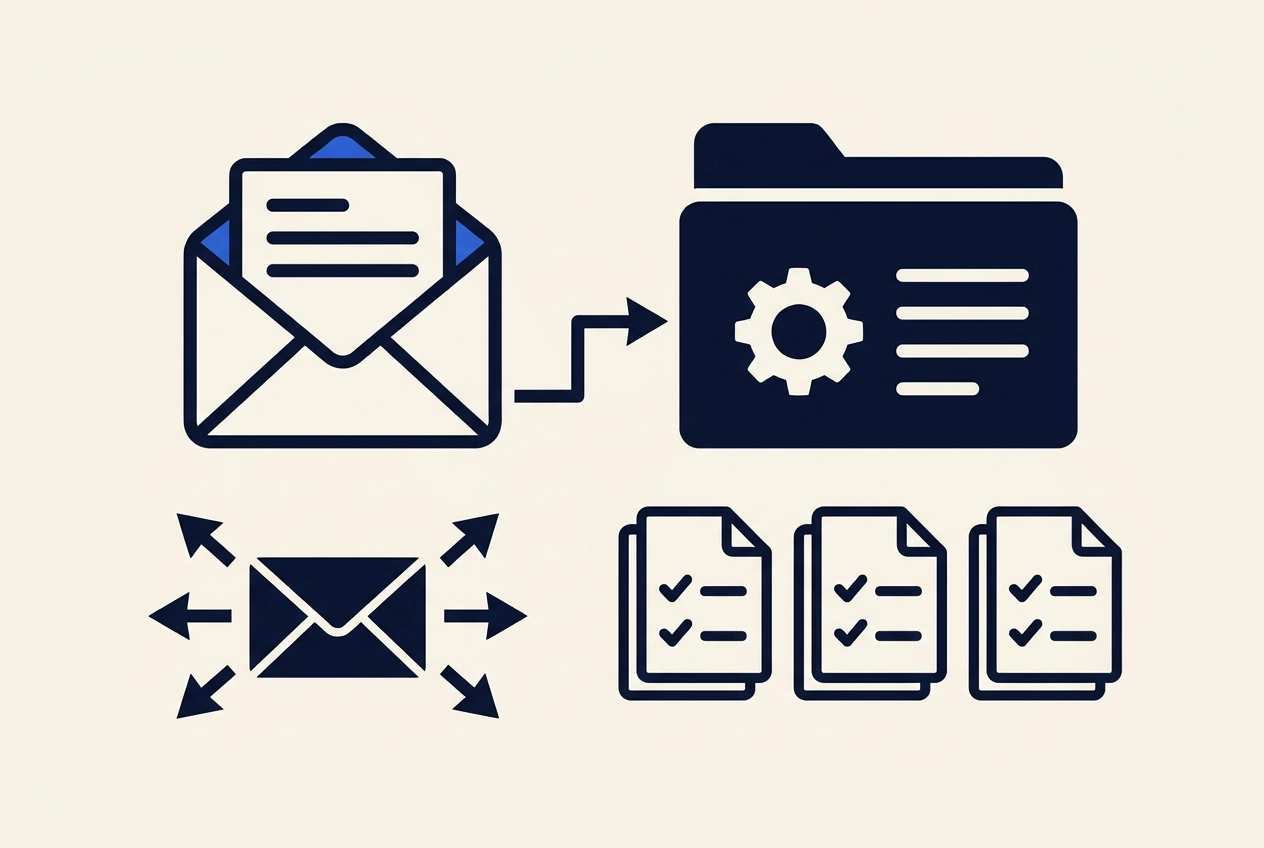
Most small outbound teams do not lose deals in the copy. They lose them in the gap between the reply and the CRM: the thread sits in a shared inbox, gets forwarded twice, and never becomes a record with an owner and a next step.
Foundational research on lead response time (Oldroyd, McElheran and Elkington, Harvard Business Review, 2011) documented that most companies were not responding nearly fast enough to online queries, it predates today's sequencing tools, so treat it as historical context, not a current benchmark.
This guide walks through the fix for teams without a RevOps hire: one sending inbox as the system of record for 30 days, a single reply queue, intent tagging the moment a response lands, explicit owner assignment, and a written "not now" rule with a stored date. You will also see the 30-day exit into your real CRM, what breaks when replies land in four tools, and copy-ready prompts and scripts. Deeplead offers a unified inbox and $37/month pricing; check the details at deeplead.io/pricing.
Why Replies Die Between the Inbox and the CRM
The gap is structural, not stylistic. The foundational research is Oldroyd, McElheran and Elkington, "The Short Life of Online Sales Leads," Harvard Business Review, Vol. 89, p. 28 (2011). It found most companies were not responding nearly fast enough to online customer queries (cataloged here). Its abstract publishes no response-time target or conversion figure, so how fast is fast enough comes from your own reply timestamps.
Speed is half of it. A reply answered in ten minutes but never tagged, owned, or recorded is still dropped, because nobody can follow up on a thread that lives in one person's memory. Four-tool stacks, a sending tool, a separate reply inbox, a spreadsheet, and the CRM, make the gap structural: each assumes another owns the thread. That is why scaling outreach without the chaos usually means fixing the handoff first.
Prerequisites: What You Need Before You Route a Single Reply
Close that gap with six prerequisites in place:
One sending inbox you control, a real mailbox with warmup history, not a shared alias nobody owns.
One reply destination, chosen before the next campaign. Do not split replies by campaign, rep, or client unless each split has a named owner.
A CRM schema agreed upfront. Minimum fields: reply received date, reply intent, owner, next action date, source campaign.
An owner model with names, not roles. Solo founder: you own everything until a meeting books. Agency: the account lead owns client-facing replies. Two or three SDRs: whoever started the thread owns the reply and first tag.
A frozen intent tag list: positive, not now, referral, unsubscribe, wrong person. Freeze it before campaign one so tags stay countable month to month.
A response window you can hit, written as an internal promise, such as every reply gets a first touch the same working day. That is an example target, not a published benchmark.
These six sit inside a larger workflow, graded stage by stage in what an AI lead generation agent actually does end to end.
Step 1: Make the Sending Inbox the System of Record for 30 Days
Adopt this as a rule, not a finding. No study tests the 30-day window; it is the practice we would write down and keep.
For the first 30 days after a reply arrives, the sending inbox is the system of record for that thread. The tag, the owner and the next action live there. The CRM holds a linked record and nothing more, so two systems never hold partial versions of the same conversation.
Thirty days is a judgment, not a benchmark. It covers the window in which a positive reply becomes a booked call, or goes quiet and should be closed out. Exit on whichever comes first: a booked meeting or day 30. Then the record graduates into the CRM and the inbox stops being the source of truth.
If you are still buying a cold email platform for this handoff, ask what happens on day 31.
Deeplead publishes that replies land in one unified inbox; check deeplead.io/pricing for current sending limits and plan details, as those figures are not independently verified here.
Step 2: Point Every Reply to One Queue and Kill the Forwarding Rules
Delete every auto-forward rule that sends replies to a personal address, a Slack channel or a second mailbox. Each rule forks the thread. One queue means one tab, one notification stream and one place you check. If a reply can land in two places, it gets answered twice or by nobody.
Name who watches the queue and how often. A shared queue with no watcher is identical to no queue. Then configure the channel so notifications reach that person, not the whole team.
Running outbound for clients? Use one queue per client account, not one per rep. Ownership of a reply should be obvious at a glance.
One queue, one watcher, one standard. Step 3 covers what happens the moment you open a reply.
Step 3: Tag Reply Intent the Moment the Response Lands
With one queue in place, the tagging moment is the next failure point. Tag every reply on arrival, not during a later cleanup pass. A tag applied three days later reflects the last reader's opinion, not the prospect's intent.
Freeze a five-tag taxonomy: positive, not now, referral, unsubscribe, wrong person. Anything that does not fit goes to positive for human review. Nothing stays untagged. If you want to see how intent signals get operationalized downstream, this breakdown of the intent data stack covers the data layer.
Define positive in writing for your specific offer: asked about pricing, timing, fit, or next steps. Vague definitions are why two reps tag the same reply differently.
Record the arrival timestamp. It is the only way to audit your own response window later instead of arguing about it. Keep tag names byte-identical across the queue and the CRM so a later export needs no mapping table.
Review your untagged reply count weekly. Untagged replies are the leading indicator that the handoff has quietly broken, and they show up before missed pipeline does.
Step 4: Assign an Explicit Owner, Not a Shared Responsibility
Tagging only works if someone then owns the thread. Assign one named human per reply. Roles do not answer email; people do. The sender is not automatically the owner. In an agency, the sending inbox may be shared, so ownership belongs to whoever owns the client relationship.
Three common models:
Solo founder: you own everything until a meeting is booked, then it becomes a CRM task with a date.
Two or three SDRs: whoever started the thread owns it through the reply and the first tag; the closer takes the next action once it is tagged positive.
Agency: the account lead owns client-facing replies, while the operator owns anything that is an opt-out, a deliverability signal, or a complaint.
The moment you apply a tag, put a calendar hold or a task against that owner, so ownership stays visible outside the inbox and does not depend on anyone remembering. That handoff is where the CRM integration does the quiet work.
Step 5: Write the Not Now Rule Down and Store the Date
Not now needs a narrow definition: the prospect said the timing is wrong. Not interested is a different tag. Remove me is an unsubscribe, handled separately.
Write the rule as one sentence anyone can apply: not now replies get one dated follow-up task at the interval the prospect named, or 90 days if they named none. Store that date on the record, not in someone's memory or a personal reminder list. An undated not now reply is how one prospect gets pitched three times in a quarter.
Keep CAN-SPAM handling explicit. Every outbound email carries a clear opt-out and a working unsubscribe, and an unsubscribe tag removes the person from all sequences, honour it within ten business days as CAN-SPAM requires, and aim for same-day as your internal standard, never re-routed or re-added later. Never answer a not now with a second pitch, a fresh domain, or a reworded subject line dressed up as a new thread. Disguising your identity or using any deliverability tactic that trades domain reputation for one more touch is against this policy. If you want help spacing the timed follow-up, review timing and cadence for cold email follow-ups.
Handoff line example: Not now, revisit 14 October, asked for next quarter, owner Dana, tag: not now, source: Q3 agency campaign.

Step 6: Set the 30-Day Exit Rule Into the Real CRM
With the not-now date stored, the last piece is the exit. Write the trigger down: a booked meeting or day 30, whichever comes first. A trigger nobody notices is not a rule.
When it fires, move the thread, its tags, and the owner into the real CRM as one record. Link the original email thread rather than pasting it as text to keep the conversation intact.
Then clear the inbox. Keep only threads that still need an action; everything else hides the next reply you need to see. Never duplicate. One thread, one owner, one working copy at any time, whether that copy sits in the inbox or the CRM. Two copies let two people disagree about the same deal.
Review monthly what graduated and what expired. If most threads hit day 30 with no decision, extend the window instead of adding tooling.
What Breaks at Scale When Replies Land in Four Tools
The 30-day exit rule holds at low volume. Push it higher and a four-tool stack starts producing defects. These are observable patterns from running outbound on small teams, not measured findings.
Thread forking. A reply to the first send lands in the sending tool; an inbox rule routes a later reply elsewhere, and two people answer the same prospect from two threads.
Double counting. The same person is tagged positive in the queue and logged separately in the CRM, so one conversation becomes two opportunities in the pipeline report.
Stale tags. Intent gets tagged late, by whoever opens the thread last, so the tag reflects the last reader rather than the prospect.
Owner ambiguity. With four tools, every reply looks like someone else's job, and the delay is invisible because no single system logs the arrival time.
Tool stitching cost. Someone maintains the syncs between sending, reply tracking and the CRM. No dollar figure for stitching is published, so we quote none, but the operational load on a two-person team is real and recurring.
The fix at scale is not more tooling. It is one queue with one tagging moment, the same rule that worked at ten replies a week.
Example Prompts and Scripts You Can Copy
Intent tagging prompt: "Read this reply. Return one tag from [positive, not now, referral, unsubscribe, wrong person], a one sentence reason, and a suggested next action. Do not draft a reply." Tag first, decide second, write third.
Not now reply, under three sentences: "Thanks for the note, and understood on timing. I will not chase you before Q4. If you would rather not hear from me at all, reply unsubscribe and I will remove you today."
Internal handoff: owner, tag, arrival time, next action date, thread link. Five fields, one message, no attachments.
Weekly queue review: replies with no tag, tags older than 48 hours, and positives with no task. Ten minutes.
Deeplead publishes that replies land in one unified inbox and that its data is available over an MCP/REST API for Claude, ChatGPT or your own agent; check deeplead.io/pricing for current plan details.
The Cost Argument: One Queue Versus a RevOps Hire
Those scripts cost nothing. The alternative is a RevOps hire, or a sync-heavy stack across sending, reply tracking and CRM. Neither is proportionate for a few hundred emails a month.
Count your volume first: replies per week times the minutes each takes to route correctly is the number any solution must beat.
Deeplead states $37 per month with 2,000 credits, unlimited inboxes and searches, roughly 4 cents per personalized email, a 3-day free trial and no annual contract. Those are company claims; check them against your volume at deeplead.io/pricing.
Sequence matters. Set up one queue, one tag list and one owner rule first. A new tool dropped into an undefined handoff reproduces the same gap at a higher cost.
One Page, Two Metrics, Thirty Days
Write it down before you buy anything: one page naming the inbox, the frozen five tags (positive, not now, referral, unsubscribe, wrong person), one owner per reply, and the not now rule. Tape it next to the sending tool.
Run that page for 30 days and count two defects: replies with no tag, replies with no owner. Both should trend toward zero. If they stall, the rule is wrong, not the tool.
Automate only after that. If tagging is the bottleneck, Deeplead states replies land in one unified inbox and the 3-day free trial with no annual contract is enough to test against your live volume. Start your free trial at deeplead.io/pricing once the rule is written and running.
Conclusion
Replies do not die from bad copy. They die when no single inbox, tag list, and owner rule controls the handoff. Set the queue, freeze five tags (positive, not now, referral, unsubscribe, wrong person), assign one owner, store every not-now date. Track two defects for 30 days. Fix the rule before you add any tool. When you are ready to test, start your free trial at deeplead.io/pricing.
Questions
- Why do replies to outbound emails get lost, even when they are answered quickly?
- Replies are usually lost in the gap between the reply and the CRM. The thread sits in a shared inbox, gets forwarded, and never becomes a record with an owner and a next step. Even a reply answered in ten minutes is still dropped if it is never tagged, owned, or recorded, because nobody can follow up on a thread that lives in one person's memory.
- What is the 30-day system-of-record rule?
- For the first 30 days after a reply arrives, the sending inbox is the system of record for that thread. The tag, owner, and next action live there, and the CRM holds only a linked record. Exit on whichever comes first: a booked meeting or day 30. Then the record moves into the CRM and the inbox stops being the source of truth. The post presents this as a practice rather than a tested finding.
- Which intent tags should I use, and when should I apply them?
- Use a frozen five-tag list: positive, not now, referral, unsubscribe, and wrong person. Anything that does not fit goes to positive for human review, and nothing stays untagged. Tag every reply on arrival rather than in a later cleanup pass, and record the arrival timestamp. Keep tag names identical across the queue and the CRM.
- How should ownership of a reply be assigned?
- Assign one named person per reply, since roles do not answer email. The sender is not automatically the owner. For a solo founder, you own everything until a meeting books. For two or three SDRs, whoever started the thread owns it through the reply and first tag, and the closer takes the next action once it is tagged positive. For agencies, the account lead owns client-facing replies, while the operator owns opt-outs, deliverability signals, and complaints.
- How should I handle a "not now" reply?
- Treat not now as a narrow tag meaning the prospect said the timing is wrong. Create one dated follow-up task at the interval the prospect named, or 90 days if they named none, and store that date on the record. Never answer a not now with a second pitch, a new domain, or a reworded subject line. Unsubscribe requests are handled separately and should be honored within ten business days, with same-day as the internal target.
Put this into practice
Deeplead finds the leads, verifies the emails and drafts the first message for you.