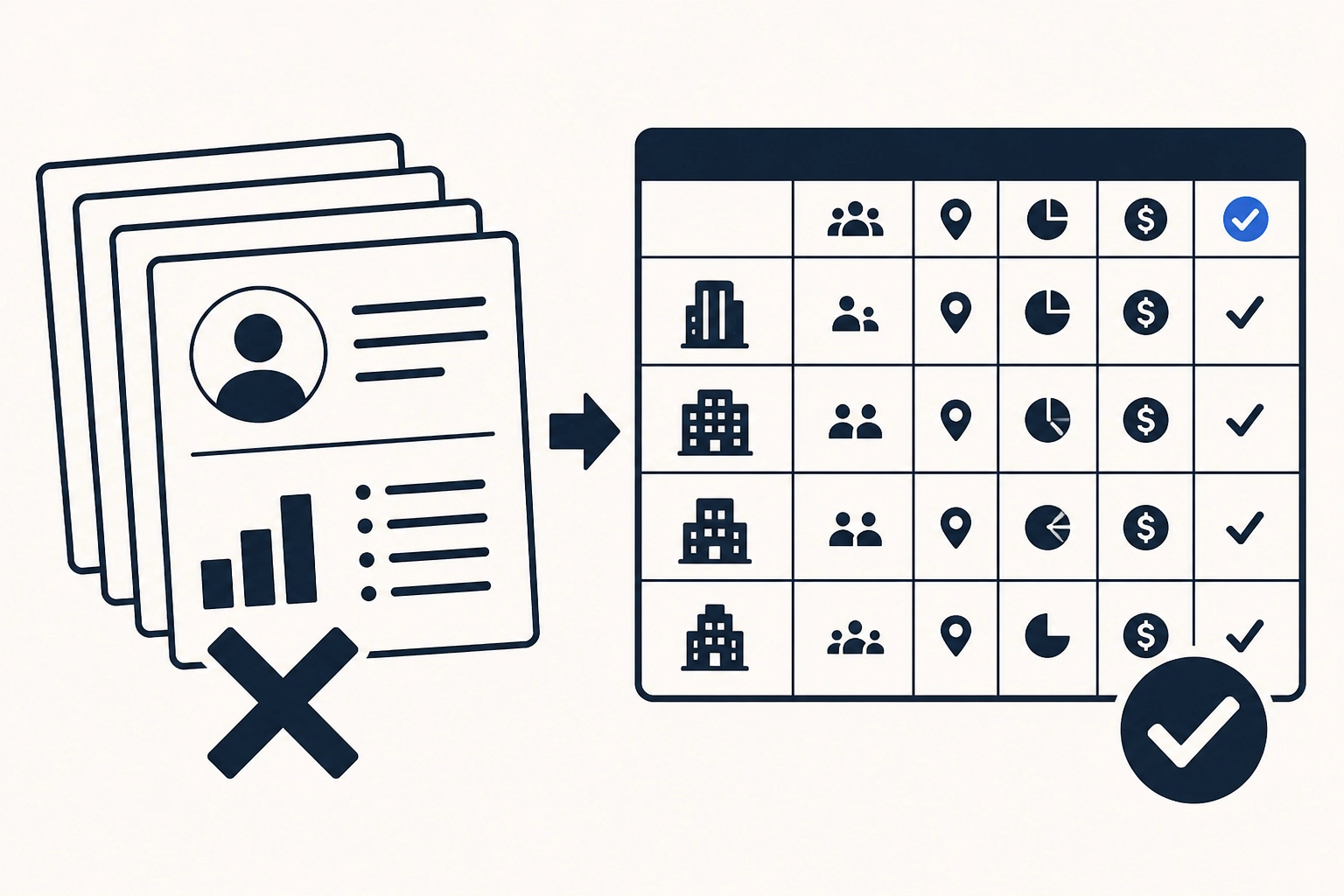
Ask a founder how many companies fit their ICP and watch the pause. Most teams have a two-page document full of adjectives (mid-market, growth-minded, values-led) and no way to answer a simpler question: how many of those accounts exist, and how many have we already contacted? A market definition becomes real only when it resolves to an enumerable list of named companies, each with a role to contact and a trigger to act on. That is the difference between an ICP deck and an ICP you can forecast and budget against.
This tutorial walks through building that list. You will see why your ICP deck answers a question nobody asked, how ICP and persona differ as two objects where only one is countable, and what a countable ICP looks like as list, role, trigger. We then work through three filters: company shape you can verify, a decision role you can name, and an observable trigger. From there you will build, count, contact-status and forecast the list, learn how AI for lead generation fits a countable list, and get example prompts plus a cold email you can adapt. You can run the workflow in Deeplead. Start with the free trial; pricing is at deeplead.io/pricing.
Your ICP Deck Answers a Question Nobody Asked
Most ICP documents are two pages of adjectives: mid-market, growth-minded, values-led. A stock photo of a smiling buyer sits at the top. No company names appear anywhere. Run a two-question test: how many companies fit this definition, and how many have we already contacted? If nobody can answer both without opening a spreadsheet they do not have, you have a description, not a market. Descriptions cannot be forecasted, budgeted, or A/B tested. You cannot split send volume across a segment you cannot size, and a reply rate without a denominator is noise. The cost shows up by quarter: a plan to target "the mid-market" becomes unallocated send volume, and teams learn a segment holds 400 companies only after they have mailed it three times. That count is the difference between a plan and a wish. The campaign teardown of 4,000 emails shows how list narrowing changes the reply curve.
ICP vs Persona: Two Objects, Only One You Can Count
That reframe raises an old confusion: ICP versus persona. The ICP describes the account; the persona describes the individual who evaluates or approves the purchase. Stamina puts the same distinction plainly: your ICP is the company you want to sell to, your buyer persona is the person inside that company. One ICP contains several personas. A buying group is rarely one person, which is why one account can hold a founder, an operator and a budget holder at once.
The practical consequence is blunt. Persona work shapes the message; ICP work shapes the list. Persona-first teams get sharp copy aimed at 300 companies they cannot expand. Keep both, but fix the order: count accounts first, then write personas for roles that actually appear in the counted accounts. Personas written before the list describe buyers you may never reach.
The counting test is the argument: accounts can be enumerated today; personas can only be inferred one role per company. That asymmetry makes the list the primary artifact. For the execution workflow that follows, see how an AI lead agent runs.
What a Countable ICP Looks Like: List, Role, Trigger
Count the accounts, then write the roles. A countable ICP is a named set of companies you can enumerate today, one decision role inside each company, and one observable trigger for why now rather than why someday. The artifact is a six-column table: company name and domain; verified shape attributes; role title; trigger and source URL; contact status; last touch date. One row per account. For storefront ICPs, the row is a Maps listing and the owner's inbox, not a department (cold emailing local businesses). Three rules are non-negotiable. Shape must be verifiable; mid-market fails because the size bands are not agreed (SME definition review). Role must be nameable; decision maker is not a title. Trigger must be observable; growth-minded has no evidence a stranger can point to. The output test: row count says how many exist, status column says how many were contacted. Those two numbers are the ICP; the rest is commentary. Version weekly. Build once without versioning and you cannot tell whether the market shrank, the filters changed, or you mailed everyone.
Filter 1: Company Shape You Can Verify

That table starts with shape. Pick three or four hard attributes to check on every row: a headcount band, a vertical or business model, a geography, and one operational marker, such as site platform, a sales careers page, or a Google Maps category for local businesses.
Verify them directly, one attribute at a time, with a named method you can repeat. Keep an evidence column with a source URL and check date per attribute so the row shows how you know.
Write the filter as an executable rule: 20 to 200 employees, as a starting threshold you adjust, US or UK, agency or consultancy, publishes case studies, site on WordPress or Webflow. Rules reproduce next quarter; adjectives do not.
If you cannot confirm an attribute for most candidates, it is a guess, not a filter. Drop it or replace it. Revenue and tech stack are the least reliable public data, so treat them as secondary confirmation. Headcount, geography and business model carry the filter. Person finder for decision makers comes next.
Filter 2: A Decision Role You Can Name
Shape gets you a defensible list. Filter 2 makes it actionable: name the title that owns the problem and the title that blocks the deal. Use plain job titles. "Head of Marketing" is a role; "decision maker" is a placeholder.
In a small company the primary role is often the founder or co-founder. In a larger one, the person who feels the pain and the person who signs may be two different titles. Pick one primary role per account, then add the secondary after the primary is identified.
Apply the searchability test: for most accounts, find at least one person with that title. If half have no match, the role is wrong or Filter 1 pulled the wrong companies.
Separate role from person. The role stays stable in the ICP; the person is a record with a name, LinkedIn URL, and check date. Store when you last confirmed they still work there; job changes happen. A list of 800 accounts with 640 named humans is a reachable market; 800 with no names is a research project. See these workflow videos for verification.
Filter 3: An Observable Trigger
With the role named, the third filter decides whether there is a reason to write now. A trigger is a dated, observable event that suggests the account is in market. Observable means a stranger could see it and agree it happened, without inferring intent. Examples include a LinkedIn post requesting a recommendation in your category, a job posting for a role that signals a new program, a target-role hire, a funding announcement, or a new location or product page.
Counting is one trigger per account, dated, stored with a source link, and swept on a fixed cadence. Treat decay as a working rule: a job change is live for weeks, a funding event for a quarter. Clear stale triggers rather than mailing against them. Planned expansion, growth-mindedness, and vendor frustration are intent assumptions; if you cannot link to it, it is not a trigger.
Trigger-only lists bring volume without fit; fit-only lists become a static roster. The count that matters is accounts that pass shape, carry a named role, and hold a live trigger. signal-triggered outbound infrastructure turns that count into repeatable execution.
Step by Step: Build, Count, Contact-Status and Forecast the List
Build and maintain the list.
Step 1: Start from closed-won. List your best won customers, analyze them for shared attributes, and note the small sample size before you trust the pattern.
Step 2: Write three filters as rules and back-test them. Run the shape filter across won and lost customers. Keep the version that captures most wins and excludes most losses. If it captures everything, it counts nothing useful.
Step 3: Resolve filters to names. Anything you cannot source stays out of the count.
Step 4: Freeze the number as a weekly time series. Track total accounts, accounts with a named role, accounts with a live trigger, plus additions and removals, so shrinkage is visible before pipeline misses.
Step 5: Add contact status. Use four states: not contacted, contacted with date and sending inbox, replied, meeting booked. Review the contacted count on a fixed cadence so the list stays current.
Use verification checks before trusting a demo.
The Count Is the Forecast
Once each row carries a contact status, the list becomes a forecast. Start with addressable accounts after filters, then reachable accounts with a named, verified role. Quarterly sends = reachable accounts × touches. Expected meetings = sends × your measured reply rate × your measured booking rate. At 800 accounts with one named role each, three touches per quarter is 2,400 sends. At a 4% reply rate, 96 replies; if one third book, 32 meetings. Swap your rates.
A 2026 vendor roundup attributes median B2B forecast accuracy of 71%, up from 54% in 2024, partly to tighter MQL-to-SQL definitions. Cite it as reported, not a benchmark. The same roundup reports 121-day mid-market and 218-day enterprise cycles, attributed to Forrester and 6sense. A quarterly target built on a list first mailed this month will miss.
Cost per email × countable sends is a countable cost, and a 400-company segment has a known exhaustion date. Bottom-up sizing follows the same logic: count ICP-fit companies, multiply by revenue per customer, then narrow. Apply the same discipline when you evaluate a cold email platform.
How to Use AI for Lead Generation on a Countable List
AI resolves and enriches; humans define. Models can find companies matching a written rule, surface the person in a named role, verify emails, check employment, and draft copy from a trigger. They cannot choose your segment.
AI for lead generation earns its place in three tasks: filter to searches and lists; role to person at volume plus employment checks; one email per record from that record's trigger.
Model output can include businesses that do not exist and contacts that have gone stale. Every row needs a source URL and check date. Count only verified rows; treat model output as a draft list, not the count. Keep the filter human-owned and versioned, or next quarter's count is not comparable.
Give Deeplead your site and ideal customer. It finds companies, including 150M+ Google Maps businesses, and decision makers inside them, verifies emails through a four-finder waterfall, checks on LinkedIn that each person still works there, writes one researched email per person, and sends from warmed inboxes at max 30 emails per inbox per day. Pricing starts at $37/month with 2,000 credits; MCP/REST API included. Pricing; try the 3-day free trial.
Example Prompts and One Cold Email
Turn the filters into records with these prompts. This is where AI for lead generation should stay: extraction, not invention.
Search plan: “I sell bookkeeping to US agencies with 20 to 200 employees. Turn that into a search plan: exact attributes, source for each, check order. Return a fillable table.”
Role resolution: “For each domain, find Head of Operations or Founder. Return name, title, LinkedIn URL, current employer, confirmation date. Mark unconfirmed domains; do not guess.”
Trigger sweep: “From these 40 recent LinkedIn posts, return only authors hiring a first ops person or requesting a bookkeeping recommendation. Include author, company, date, URL. Skip mentions.”
Drafting: “Write one 90-word email from this record’s trigger. One reason, one observation, one question. No adjectives or features.”
Example email
Subject: Your first ops hire
Hi [Name],
On March 4 you posted [Company] is hiring its first ops lead. That usually shifts bookkeeping from founder to system.
I help US agencies run monthly bookkeeping and reporting.
Is that on your list this quarter?
Opt out here: [link]. [Company name], [street address], [city, state ZIP]. Truthful sender; no deliverability tricks.
Count It Before You Write Another Persona
The prompts above show that AI can execute a filter. Deciding the filter is your job.
Rewrite your ICP as three rules: a shape you can verify, a role you can name, a trigger you can observe. Resolve them to names, one row per company, with a source URL and check date on every field.
Publish two numbers in your weekly review: how many accounts fit the ICP today, and how many of those you have contacted. Send volume, meeting targets, and budget all derive from that pair.
Delete any adjective that cannot be checked on a spreadsheet row. If no one can point to evidence, it is commentary.
Back-test the filters against closed-won and closed-lost before you mail anything. Re-verify shape quarterly and sweep triggers weekly so the count stays honest.
If you want the list built and contacted without stitching tools together, Deeplead starts at $37 per month with 2,000 credits, includes a 3-day free trial and no annual contract. Details are on Deeplead pricing.
Conclusion
Your next step is to rewrite your ICP as those three rules, build the list, and count it before you write another persona. If you want the list built and contacted without stitching tools together, Deeplead starts at $37 per month with 2,000 credits, includes a 3-day free trial and no annual contract. See details at deeplead.io/pricing, then start the free trial and count your market.
Questions
- Why is an ICP deck of adjectives not enough for a go-to-market plan?
- A two-page ICP full of adjectives like mid-market or growth-minded cannot answer two basic questions: how many companies fit the definition, and how many have already been contacted. Without those counts you cannot forecast, budget, or A/B test, and a reply rate has no denominator. A market only becomes real when it resolves to an enumerable list of named companies, each with a role to contact and a trigger to act on.
- What is the difference between an ICP and a buyer persona?
- The ICP describes the account (the company you want to sell to), while the buyer persona describes the individual inside that company who evaluates or approves the purchase. One ICP can contain several personas, since a buying group is rarely one person. The post's practical advice is to count accounts first to build the list, then write personas for roles that actually appear in the counted accounts.
- What does a countable ICP look like?
- A countable ICP is a named set of companies you can enumerate today, with one decision role inside each company and one observable trigger explaining why to act now. The post describes it as a six-column table: company name and domain, verified shape attributes, role title, trigger and source URL, contact status, and last touch date, with one row per account.
- What are the three filters used to build the list?
- The first filter is company shape you can verify, such as a headcount band, vertical or business model, geography, and one operational marker. The second is a decision role you can name, using plain job titles that own the problem or block the deal. The third is an observable trigger, a dated event that a stranger could see and agree happened, such as a job posting, a funding announcement, or a new location or product page.
- How do you turn the list into a forecast?
- Once each row has a contact status, the count becomes a forecast. Quarterly sends equal reachable accounts multiplied by touches, and expected meetings equal sends multiplied by your measured reply rate and your measured booking rate. The post's example is 800 accounts with one named role each and three touches per quarter, giving 2,400 sends; at a 4% reply rate that is 96 replies, and if one third book, 32 meetings.
Put this into practice
Deeplead finds the leads, verifies the emails and drafts the first message for you.